

ERP
ERP ERFF10A Microwave Fuse Ff10A
ERFF10A
Availability
Ships within2-4 Business Days
Part Number
ERFF10A
Manufacturer
ERP
Compatible Brands:
Quality Parts
Easy to Install
Reliable
Long-Lasting
Frequently Bought Together



Share
Share this product
Make an Offer
Think this price can be better?
Multimeter Replacement Fuse For: Supco Redfish FF10A
Safety first: Remove the meter leads and power off the test meter before replacing the fuse. Test-instrument work should be performed by a qualified technician.
Restore your meter with this ERP replacement fuse for compatible Supco Redfish test meters. This is a test-instrument component, not a microwave or appliance fuse. When the meter fuse blows, the meter stops taking current or continuity readings. This fuse is a direct replacement identified by the listed part number. Verify the meter model and the original fuse type, current, and voltage ratings before ordering.
Product Details
- SKU: ERFF10A
- Country of origin: China
Compatible Part Numbers
- FF10A
Key Features
- Direct replacement: Replaces the blown fuse in compatible Supco Redfish test meters.
- Restores readings: Brings back current and continuity measurement functions.
- Correct ratings: Matched to the original meter fuse specification.
- Fast swap: Simple fuse compartment replacement.
Fixes These Symptoms
- Meter no longer takes current or continuity readings
- Meter fuse blew after an overcurrent event
- Meter displays an error or blank reading on current ranges
Compatible Brands
Supco Redfish
Compatible Models
Fits various models. Please verify compatibility with us before ordering
Installation Instructions
- Remove the meter leads and power off the meter.
- Confirm the meter model and original fuse type and ratings.
- Open the fuse compartment per the meter instructions.
- Replace the blown fuse with the new one and close the compartment.
- Verify meter function with a known circuit before use.
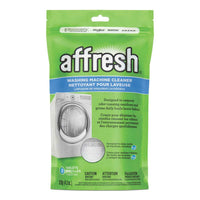
For appliance cleaning products, visit affresh appliance cleaning products.
Safety Disclosure
Prop 65 Warning: Cancer and Reproductive Harm – www.P65Warnings.ca.gov
Ships within2-4 Business Days
- Installation guidance for FF10A. This is a preparation checklist, not a model-specific service procedure.
- Confirm the appliance model, original part number, dimensions, connector arrangement and electrical ratings before installation. Obtain the manufacturer's instructions for that exact model.
- Before service, disconnect electrical power. Isolate water or gas supplies if the repair affects them. Electrical connections and any stored-energy components should be handled by a qualified technician.
- Follow the exact model instructions for access, removal, mounting and connections. Do not force a similar-looking part to fit, improvise wiring, or bypass a fuse, thermostat, interlock or other safety device.
- Reinstall guards and panels, and complete the manufacturer-specified safety and operating checks before returning the appliance to service.
- If the exact installation procedure or compatibility is uncertain, stop and contact the appliance manufacturer or a qualified service technician.
- Product/cross-reference information (not a service manual): https://supco.com/web/supco_live/products/FF10A.html
FF10A
- Meter no longer takes current or continuity readings
- Meter fuse blew after an overcurrent event
- Meter displays an error or blank reading on current ranges
Compatible models
Fits various models. Please verify compatibility with us before ordering
OEM & Generic Parts
OEM Parts Authenticity Guaranteed.